


Impersonating as
Signed in as · viewing 's workspace
← Back Creator Growth

CreatorGrowth is for AI Mate members

Start your 7-day free trial of AI Mate and you'll get CreatorGrowth access at no extra cost.

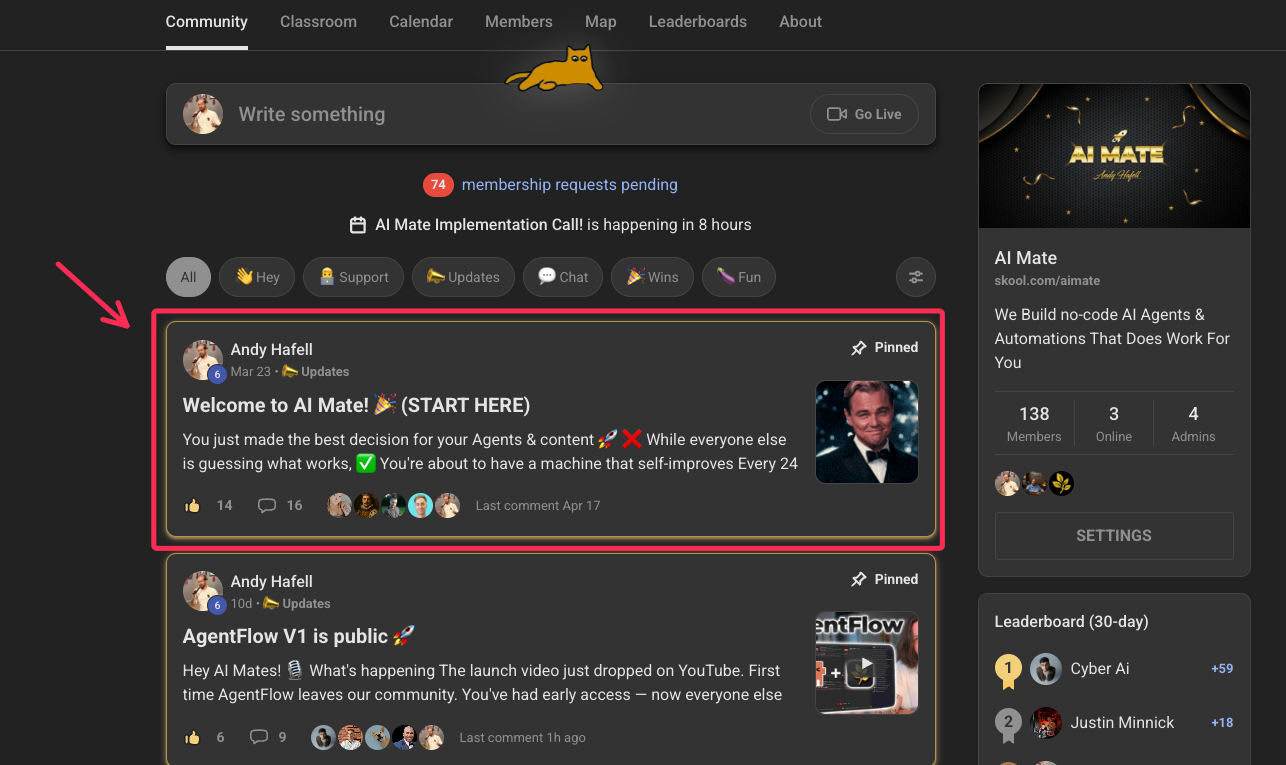
Pinned AI Mate post showing how to activate CreatorGrowth
  1. Start your free AI Mate trial
  2. Open the pinned post in the community
  3. Come back here with the email you used to join
Join AI Mate — 7-day free trial

Settings

Profile picture
Upload a custom avatar for your account. PNG/JPG/WEBP, up to 5MB.
Email

API Keys

Your own keys power your generations. Stored on the server; for security we never show them again after saving.
How to get a free YouTube Data API key
  1. Open console.cloud.google.com and create or pick a project.
  2. APIs & Services → Library → search YouTube Data API v3Enable.
  3. APIs & Services → Credentials → Create credentials → API key.
  4. Paste the key (AIza…) above. Free tier = 10,000 units/day.
Validates new creators and gives accurate view counts on your scrapes — on your own quota, so it never collides with other members.
How to get a Gemini API key
  1. Open aistudio.google.com/apikey and sign in.
  2. Click Create API key (pick a project or let it make one).
  3. Paste the key (AIza…) above.
Powers thumbnail & image generation on your own key, so heavy use never rate-limits other members.
AWS S3 — video hosting
Finished videos you upload (on the Publish page or a card’s Video box) go straight to your own S3 bucket (big files never touch this server). Access key & secret are stored write-only; bucket & region you can see here.
How to set up an S3 bucket + key
  1. In the S3 console create a bucket (note its name + region).
  2. Add a CORS rule allowing PUT/GET from this site so the browser can upload direct.
  3. In IAM create a user with s3:PutObject/s3:GetObject on that bucket, then create an access key.
  4. Paste the access key ID + secret + bucket + region above.
Leave blank to use the channel default while testing.

API Access

Generate a personal token to push cards into your workspace from Claude Code or any script. Shown once — copy it now. Regenerating invalidates the old token.

Face Library

Reference photos of your face for pixel-face thumbnails. Use clear, well-lit head shots — front-facing works best.

Prompt Presets

The exact prompt used when you generate thumbnails. Edit to taste, or Reset to the channel default.

Standard Description

Your reference description — paste the format you like (CTA header, links, email, the lot). It's fed to the AI as the template when you Generate a publish description: the AI keeps your links/CTA/email verbatim and rewrites the body + chapters per video. Persists across your account. (Also editable from the Publish view.)
AI budget
Sort: | Published:

Creators

Back to CreatorGrowth
Untitled document
FileEditViewInsertFormatToolsExtensionsHelp
New document
A
11
Packaging

Publishing

Take a publish-ready card live — review, finalize, schedule, cross-post.
Select a card from the Ready Queue to begin.

Twitter

280

Content Docs

Sort: